LCweb WP Dashboard FAQs
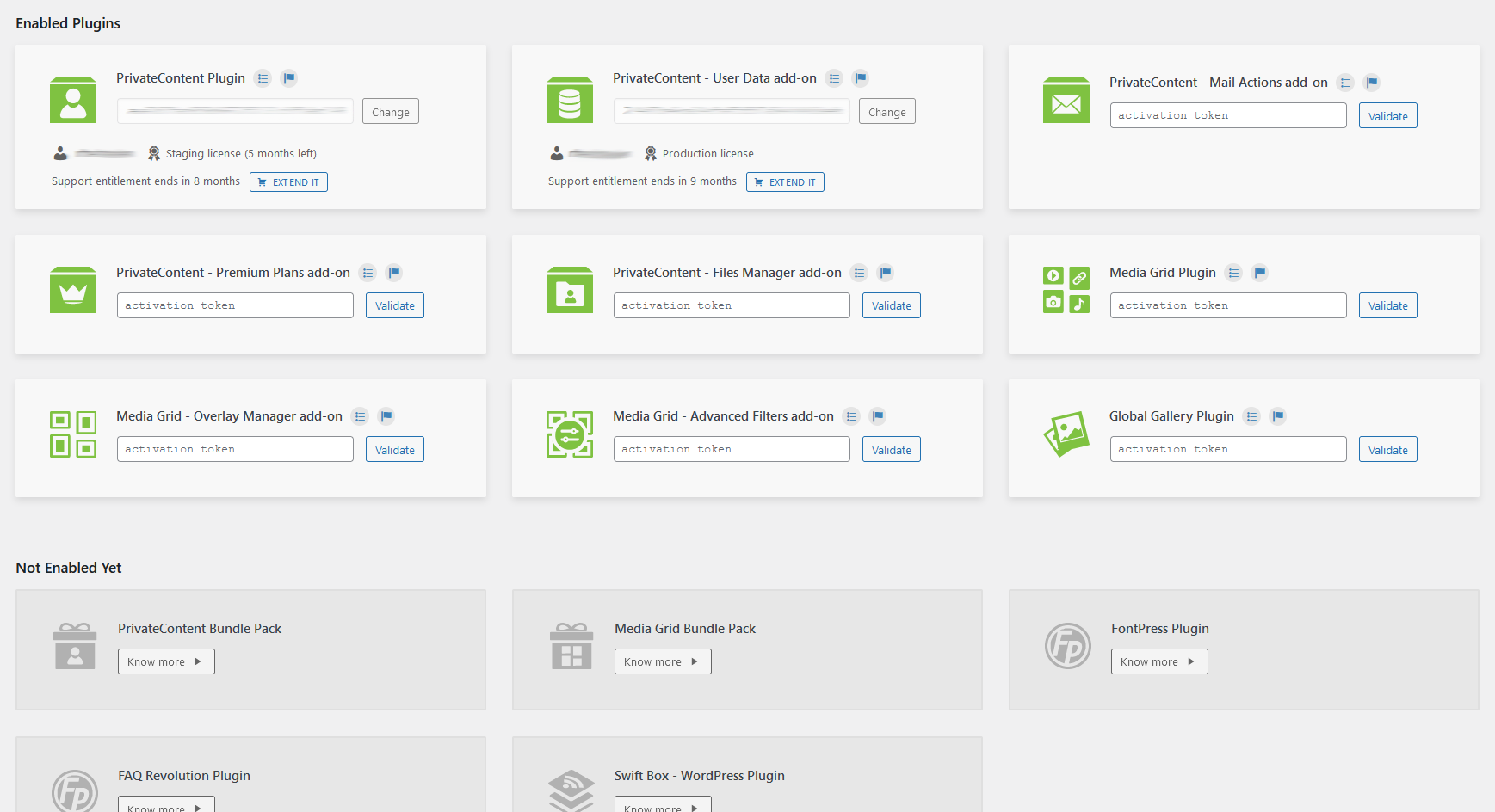
Lcweb Dashboard is the direct link between LC Licenses Hub and your website.
The place where your product licenses usage are certified: enabling the automated updater and allowing plugins usage.
But there’s more: it gives you direct links to changelogs and documentations as well as a real-time support entitlement reminder.
ENVATO CUSTOMERS: tokens are given by the Licenses Hub. In there you have to register your licenses and set on which domain they will be used on.
LCWEB SHOP: licenses are already listed in your dashboard. Simply define the domains where you want to use the product.
Each recorded license has got a production and eventually a staging domain shown. Aside of the domain you find the activation token to use.
Accepting Envato or LCweb Shop license terms stating each license can be used on a single project/domain. Through the Licenses Hub LCweb gives you 6 extra months in case you have short-terms domain name change. Plus also a staging domain token.
In case you need to change the domain name keeping the same project, please get in touch with [email protected]
Most of customers never read changelogs, nor perform backups, nor check dev notes. In some cases this leads to troubles. Troubles to be faced without a valid support entitlement == unsatisfied customers.
Since LCweb cares about each single website where its products are installed, it’s essential to give legitimate help in case of troubles. Because of this, automated updates require a valid support entitlement.
Do you have other specific questions? Get in touch with [email protected]